Call Switchboard via API
The following sections demonstrate how to start a Switchboard via the HTTP API and how to retrieve status updates and results.
API key as a prerequisite Anchor
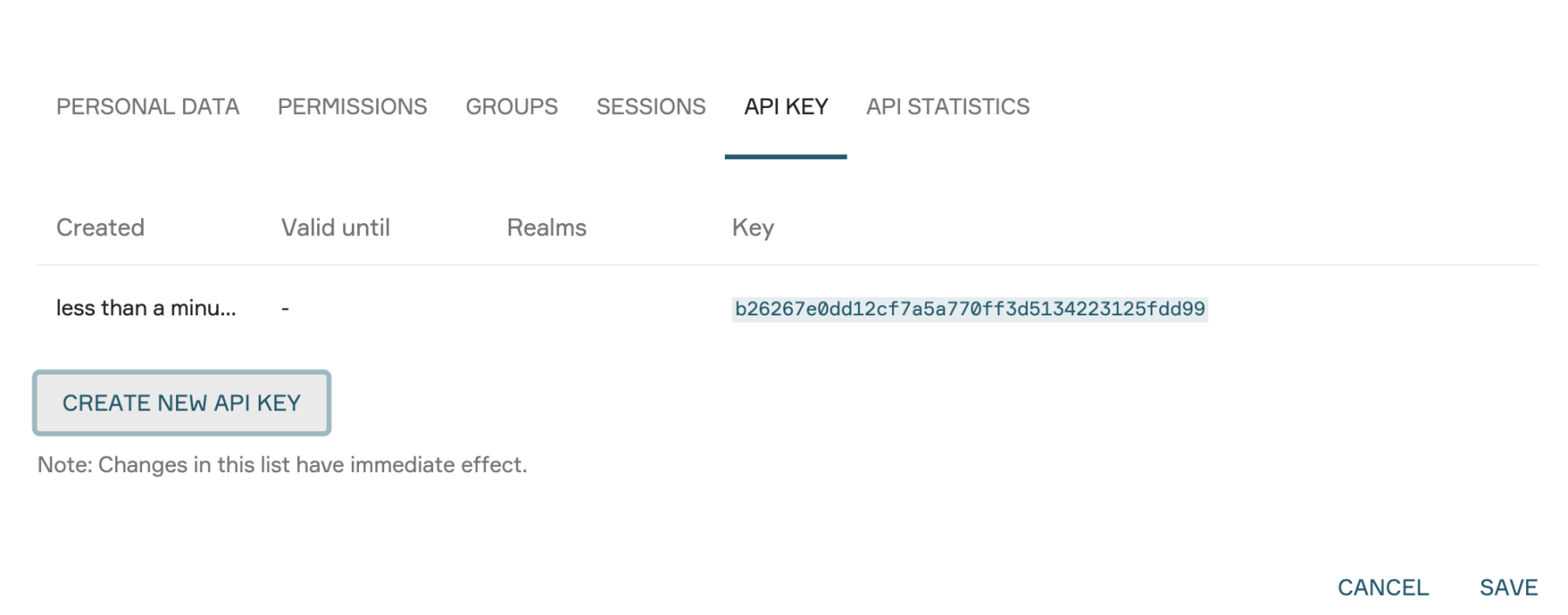
A personal API key is required for all API calls. Administrators can create this key in the user management section:
Select "Edit User".
Go to the "API Keys" tab.
Select "CREATE NEW API KEY".
Once generated, the key can be used for an unlimited number of API calls and Switchboards until it is revoked.
API call Anchor
In the PlexMap backend, under "Edit Switchboard" in the "Execution" tab, several API endpoints are displayed for each Switchboard:
Run endpoint: starts the execution of the Switchboard
Status endpoint: provides the current execution
Status Result endpoint: provides the results of an execution
The following placeholders are used below:
RUN_URLfor the Run endpointSTATUS_URLfor the Status endpointRESULT_URLfor the Result endpointKEY for the API key
There are several ways to call the API:
Using curl with the API key as a GET parameter:
curl "RUN_URL?api_key=KEY"
Using curl with the API key as a header parameter:
curl -H "X-Api-Key: KEY" "RUN_URL"
Using wget with the API key as a GET parameter:
wget -qO- "RUN_URL?api_key=KEY"
Using wget with the API key as a header parameter:
wget -qO- --header="X-Api-Key: KEY" "RUN_URL"
After the successful call of the RUN_URL, the Switchboard is automatically initialized. Subsequently, the endpoints STATUS_URL (to monitor progress) and RESULT_URL (to retrieve results) can be addressed.
The API key is provided here simultaneously according to the pattern described above.
Parameterized call Anchor
If data is to be passed to the switchboard during the HTTP call (e.g. parameters, polygons or files), the switchboard needs one or more inputs. If the HTTP call is to return results from the switchboard, the switchboard needs one or more outputs. If nothing like this should happen, this section can be skipped.
For instructions on how to define an input or output, see the section Defining Inputs and Outputs.
Passing the parameters Anchor
The defined inputs can be appended to the API call as GET parameters.
The parameters can also be passed as a POST request (JSON). In this case, the POST body must contain a JSON object. The keys of this object are the names of the defined inputs and the values are the data for the respective input. Unlike with GET, these must already be provided as lists, as every data record in the Switchboard is a list.
{"id":["abc1234"]}{"bounds":[[10,10,20,20]]}
Output formats Anchor
Different output types can be selected in the API call. For this, append &output_format=[json|text|file] to the URL.
JSON (standard) Anchor
JSON is the default output format. Here the status and all switchboard outputs are returned in a JSON structure:
{"outputs": {"value1": [1, 2, 3]}}
Text Anchor
With the output format "text" the output is serialized as plain text:
1
2
3
File Anchor
With the output format file, a file is returned by the API call. This requires that the Switchboard also has an output of type File. Below are several examples of how this process can be used to save a file using curl or wget.
With the program curl and the API key as GET parameter:
curl "RESULT_URL?api_key=KEY&output_format=file" --output result.zipWith the program curl and the API key as Header parameter:
curl -H "X-Api-Key: KEY" "RESULT_URL?output_format=file" --output result.zipWith the program wget and the API key as GET parameter:
wget -q -O ergebnis.zip "RESULT_URL?api_key=KEY&output_format=file"With the program wget and the API key as Header parameter:
wget -q -O ergebnis.zip --header="X-Api-Key: KEY" "RESULT_URL?output_format=file"